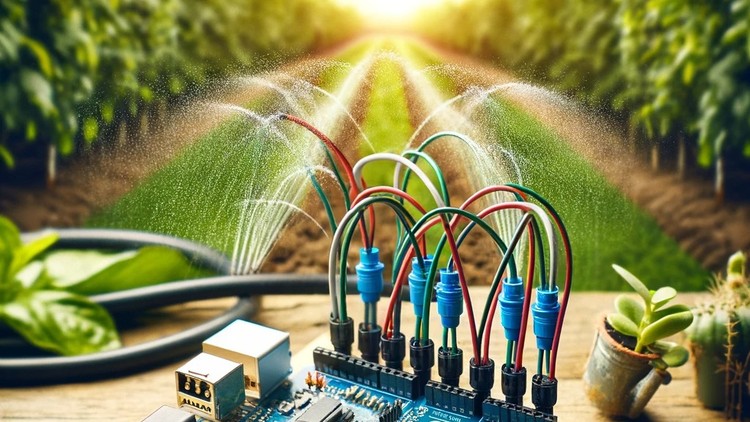
Make your own Automatic Irrigation System and stop wasting time on checking your Soil manually and Start Automating Life
Why take this course?
Based on the information provided, here’s a structured summary of your expertise and offerings:
Profile Overview:
- Professional Title: Chief Educational Engineer at Educational Engineering Team
- Industry Experience: Over 13 years in teaching and hands-on practical projects in the Microcontroller Industry.
- Educational Background: Founder of Educational Engineering, a company specializing in educational courses, bootcamps, articles, lessons, and online support for electronics, programming, microcontrollers, and STEM education.
- Expertise: Mechatronics engineer, electronics and programming hobbyist, and maker with a passion for Microcontrollers, particularly Arduino, PIC Microcontroller, Raspberry Pi, ESP, IoT, and more.
Key Contributions and Achievements:
- Taught over 250,000 students globally through online platforms like Udemy and YouTube (EduEng Channel with more than 4 million views and 20k+ subscribers).
- Authored four Microcontroller books.
- Provided guidance and consulting for numerous students’ graduation projects over the years.
- Offered over 100+ courses on a variety of topics including Circuit Design, Simulation, PCB Fabrication, Arduino, PIC Microcontroller, Raspberry Pi, Programming in C, Python, PLC Industrial Programming, Automation, 3D Design and Simulation, and ESP and IoT.
- Delivered a step-by-step, easy-to-understand teaching style with over 11 years of tertiary teaching experience.
Current Offerings:
Note➛ Make sure your 𝐔𝐝𝐞𝐦𝐲 cart has only this course you're going to enroll it now, Remove all other courses from the 𝐔𝐝𝐞𝐦𝐲 cart before Enrolling!
- Course Title: “Land Condition Detection Using Arduino with Soil Moisture Sensor (Nokia 5110 LCD Display)”
- Learning Outcomes: Connect and interface the Nokia 5110 LCD and FC-28 Soil Moisture Sensor with Arduino, understand land conditions, grasp the basics of irrigation systems, and program and wire these components effectively.
- Target Audience: Home automation enthusiasts, DIY hobbyists, gardeners looking for automation solutions, students, professionals interested in Arduino projects, and anyone interested in learning about automated irrigation systems.
- Prerequisites: Basic knowledge of electronics, a computer with internet access, and the necessary components (Arduino board and Soil Moisture Sensor).
Course Overview:
In this course, you will learn how to:
- Connect and interface the Nokia 5110 LCD with Arduino.
- Connect and interface the FC-28 Soil Moisture Sensor with Arduino.
- Detect land conditions using Arduino’s capabilities.
- Understand the irrigation process and its importance in gardening and agriculture.
- Interface different types of electronic elements with Arduino for various applications.
- Utilize Arduino to simplify tasks and enhance efficiency in controlling systems.
- Program an Arduino board, including burning code onto it.
- Identify the right tools needed for starting projects involving microcontrollers.
- Understand how Arduino can be a powerful tool in control systems compared to traditional methods.
This summary encapsulates your professional background, your team’s mission and achievements, and the specific course you are offering. It’s designed to give a clear and concise overview of your expertise and educational offerings.
Add-On Information:
- Course Overview
- Dive deep into the fascinating world of automated environmental control by merging programming with plant biology. This course guides you through the process of building a smart system that thinks for your garden.
- Explore the core principles of embedded systems design, focusing on how a microcontroller can interpret physical world signals to perform mechanical tasks.
- Learn the intricacies of smart irrigation logic, moving beyond simple timers to a system that reacts dynamically to the specific moisture levels of your soil.
- Understand the architecture of IoT-ready projects, setting a foundation for more complex home automation systems in the future.
- Requirements / Prerequisites
- Possession of a standard Arduino Uno, Mega, or Nano development board and a compatible USB interface cable.
- Access to a personal computer (Windows, macOS, or Linux) with administrative rights to install and run the Arduino Integrated Development Environment (IDE).
- A basic hardware kit including a soil moisture sensor, a 5V relay module, a miniature water pump, and jumper wires for circuit assembly.
- A fundamental grasp of basic electricity concepts, such as the difference between positive and negative terminals and the role of a power supply.
- Skills Covered / Tools Used
- C++ Programming Fundamentals: Master the specific syntax used in the Arduino ecosystem to write efficient, looping control scripts.
- Circuit Prototyping: Use a breadboard to map out and test electronic connections without the need for permanent soldering.
- Signal Processing: Learn to calibrate analog-to-digital converters (ADC) to translate raw sensor data into meaningful moisture percentages.
- Relay Logic: Gain the ability to use low-voltage signals to safely trigger and control high-power peripherals like water pumps or solenoid valves.
- Serial Debugging: Utilize the Arduino Serial Monitor to troubleshoot code and visualize real-time data flow from your garden.
- Benefits / Outcomes
- Achieve total autonomy in your gardening routine, ensuring your plants thrive even when you are away on vacation or busy with work.
- Promote environmental sustainability by drastically reducing water waste, delivering only the precise amount of hydration required by the plant.
- Build a professional-grade portfolio project that demonstrates your ability to bridge the gap between software code and physical hardware.
- Develop a versatile engineering mindset that can be applied to other automation tasks, from smart lighting to home security systems.
- Gain the technical confidence to move from following tutorials to designing your own custom electronic solutions for everyday problems.
- PROS
- Immediate Practical Application: You walk away with a functional tool that solves a real-world problem in your home immediately.
- Cost-Effective Learning: Uses open-source hardware and affordable components, making it an accessible entry point for hobbyists.
- Modular Design: The skills learned are highly transferable, allowing you to swap sensors or actuators for different types of automation projects.
- CONS
- Requires an initial hardware purchase of various physical components and sensors that are essential for completing the practical assembly of the system.
English
language