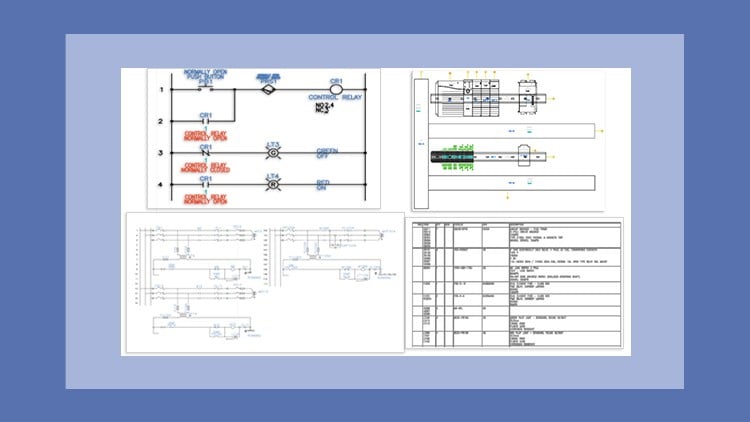
A Masterclass – Step-by-Step Learning Made Easy
⏱️ Length: 6.6 total hours
👥 5 students
🔄 October 2025 update
Add-On Information:
Note➛ Make sure your 𝐔𝐝𝐞𝐦𝐲 cart has only this course you're going to enroll it now, Remove all other courses from the 𝐔𝐝𝐞𝐦𝐲 cart before Enrolling!
- Course Overview
- This “Masterclass” offers a meticulously structured, step-by-step pathway into the robust world of AutoCAD Electrical 2026, designed for both newcomers eager to master industry-standard electrical design software and professionals seeking to update their skills to the latest version.
- Immerse yourself in a practical, tutorial-driven environment where theoretical concepts are immediately reinforced with hands-on exercises and real-world project simulations, ensuring a deep, applicable understanding of the software’s capabilities.
- Discover how AutoCAD Electrical 2026 revolutionizes the creation of accurate and intelligent electrical control designs, significantly streamlining documentation workflows and enhancing project collaboration across engineering disciplines.
- Explore the nuanced features that distinguish AutoCAD Electrical from generic CAD platforms, focusing on its specialized tools for automated reporting, intelligent component placement, and comprehensive project management within an electrical context.
- Gain proficiency in navigating the user interface, customizing workspaces, and optimizing settings specifically for electrical design tasks, leading to a highly efficient and personalized design experience.
- Understand the foundational principles behind creating smart electrical data, ensuring that your designs are not merely visual representations but intelligent models capable of driving automation and analysis.
- Benefit from an “October 2025 update,” guaranteeing that the course content, tutorials, and best practices align perfectly with the most current features and functionalities introduced in the AutoCAD Electrical 2026 release.
- Requirements / Prerequisites
- A fundamental grasp of basic electrical engineering principles, including circuit concepts, component functions (e.g., relays, contactors, motors), and standard electrical symbols.
- Prior exposure to any CAD software environment is beneficial but not strictly mandatory, as the course initiates with core navigation and operational concepts specific to AutoCAD Electrical.
- Access to a computer capable of running AutoCAD Electrical 2026, along with the software installed and licensed, is essential for undertaking the practical exercises and projects.
- A strong willingness to engage with hands-on learning, perform iterative design tasks, and troubleshoot common design challenges independently and through provided solutions.
- No prior expertise in AutoCAD Electrical is required; this course is tailored to guide learners from foundational concepts to advanced application.
- Skills Covered / Tools Used
- Electrical Project Management: Master the creation, organization, and management of multi-drawing electrical projects, including drawing list management, properties, and template customization for consistent project standards.
- Intelligent Symbol Creation & Editing: Develop expertise in defining and modifying custom electrical symbols, ensuring they adhere to specific project requirements and library standards for reusable components.
- Wire Numbering and Cross-Referencing Automation: Implement dynamic wire numbering schemes and automated component cross-referencing to maintain design consistency and reduce manual errors across complex schematics.
- Terminal Strip Management: Efficiently design and manage terminal strips, including automatic terminal numbering, strip re-sequencing, and generation of terminal layout drawings.
- Component Tagging & Annotation: Apply intelligent device tags, balloon annotations, and descriptive text to components, enhancing clarity and documentation within your electrical designs.
- Report Generation & Customization: Generate critical project reports such as Bills of Material (BOMs), wire connection lists, component lists, and I/O assignments, with skills in report format customization.
- Inter-Drawing Referencing: Establish and manage seamless cross-references between different drawings within a project, ensuring logical connectivity and ease of navigation for complex systems.
- PLC I/O Addressing: Configure and manage Programmable Logic Controller (PLC) I/O modules, including automatic addressing, graphical representation, and associated component linking.
- Library Customization: Learn to expand and manage custom component libraries, incorporating manufacturer-specific data and part numbers to enhance design accuracy and procurement processes.
- Design Rule Checking (DRC): Utilize built-in tools to perform design rule checks, identify potential errors, and ensure adherence to established design guidelines and safety standards.
- Benefits / Outcomes
- Attain the proficiency to independently conceptualize, design, and document complete electrical control systems using AutoCAD Electrical 2026 with precision and professional quality.
- Significantly enhance your productivity in electrical design workflows, transitioning from manual, time-consuming methods to automated, data-driven processes that minimize human error.
- Position yourself as a skilled electrical CAD professional, equipped with the latest software knowledge, making you a valuable asset in industries requiring sophisticated electrical control system design.
- Develop a critical understanding of industry best practices for electrical documentation, ensuring that your designs are not only functional but also easily maintainable, scalable, and compliant with relevant standards.
- Cultivate advanced problem-solving capabilities within the electrical design context, learning to leverage AutoCAD Electrical features to overcome complex wiring, layout, and component integration challenges.
- Gain the confidence to tackle diverse electrical projects, from simple motor control circuits to intricate industrial automation systems, applying robust design methodologies learned throughout the course.
- Foster improved collaboration with multidisciplinary teams by producing clear, intelligent electrical schematics and panel layouts that integrate seamlessly into larger engineering projects.
- Lay a strong foundation for continuous professional development in electrical design and automation, with a comprehensive understanding of the core tools and principles of AutoCAD Electrical.
- PROS
- Current Software Version: Direct focus on AutoCAD Electrical 2026 ensures learners acquire skills relevant to the absolute latest industry-standard software.
- Practical Learning Approach: Emphasizes hands-on tutorials, exercises, and projects, which are crucial for developing practical design competencies.
- Structured Progression: A “step-by-step learning made easy” methodology ensures a clear and logical path from fundamental concepts to advanced applications.
- Targeted Specialization: Deep dive into the specialized features of AutoCAD Electrical, avoiding generic CAD principles to focus solely on electrical design efficiency.
- Real-World Relevance: Content is geared towards producing professional-grade electrical control drawings, directly applicable to industrial and commercial projects.
- Updated Content: The “October 2025 update” signifies a commitment to keeping the course material fresh and reflective of software enhancements.
- CONS
- Given the extensive and intricate scope of advanced electrical design software like AutoCAD Electrical 2026, the condensed total lecture hours (6.6 hours) might necessitate considerable additional self-study and practice for comprehensive mastery and independent project execution.
Learning Tracks: English,IT & Software,Other IT & Software
Found It Free? Share It Fast!