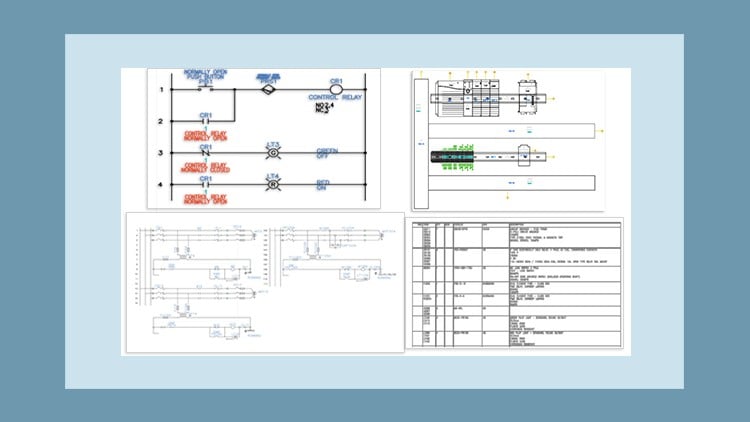
A Master class – Learn By doing
⏱️ Length: 6.2 total hours
⭐ 4.37/5 rating
👥 6,650 students
🔄 October 2025 update
Add-On Information:
Note➛ Make sure your 𝐔𝐝𝐞𝐦𝐲 cart has only this course you're going to enroll it now, Remove all other courses from the 𝐔𝐝𝐞𝐦𝐲 cart before Enrolling!
- Course Overview
- Dive into the latest iteration of AutoCAD Electrical, 2025, with a focused, hands-on approach designed for immediate practical application.
- This masterclass transcends theoretical understanding, prioritizing a learn-by-doing methodology through meticulously crafted tutorials, engaging exercises, and comprehensive project-based learning.
- Gain a holistic understanding of the software’s capabilities, moving beyond basic functions to leverage advanced features for efficient and accurate electrical design.
- Discover how to streamline your workflow and reduce design time significantly by mastering the intuitive tools and intelligent features within AutoCAD Electrical 2025.
- The course is structured to build confidence and competence, enabling participants to transition from novice users to proficient electrical drafters and designers.
- With 6.2 hours of expertly curated content, this program offers a substantial yet digestible learning experience, updated in October 2025 to reflect current industry standards.
- Join a vibrant community of over 6,650 students who have benefited from this proven learning path, contributing to its impressive 4.37/5 average rating.
- The curriculum is specifically designed to address the challenges faced by electrical engineers, technicians, and designers in creating complex control systems and panel layouts.
- Emphasis is placed on industry best practices and the adoption of modern design paradigms within the electrical engineering domain.
- Explore how to create dynamic and intelligent electrical schematics that can be easily modified and maintained, reducing errors and improving project turnaround.
- Requirements / Prerequisites
- A foundational understanding of basic electrical principles and concepts is beneficial, though not strictly mandatory.
- Access to a computer capable of running AutoCAD Electrical 2025. Trial versions are readily available for those who do not own a license.
- Basic computer literacy, including navigation of operating systems, file management, and software installation.
- No prior experience with AutoCAD or specialized electrical design software is required, making this course accessible to beginners.
- A keen interest in learning and a commitment to completing the practical exercises and projects.
- An internet connection for accessing course materials and potentially software downloads.
- Skills Covered / Tools Used
- Mastering the creation and management of comprehensive electrical schematics, including single-line diagrams and multi-line diagrams.
- Proficiency in utilizing the Circuit Builder for rapid generation of standard electrical circuits, accelerating design processes.
- Developing expertise in designing and documenting electrical panel layouts, including component placement and wiring management.
- Understanding and implementing both parametric and non-parametric PLC (Programmable Logic Controller) modules for intelligent automation design.
- Efficiently managing and integrating component libraries to ensure consistency and accuracy in drawings.
- Utilizing the software’s intelligent features for automatic wire numbering, component tagging, and cross-referencing.
- Creating detailed reports, such as bill of materials (BOM), wire lists, and terminal lists, directly from the design.
- Implementing advanced drawing management features for organizing and navigating large-scale electrical projects.
- Leveraging symbol libraries to accurately represent electrical components according to industry standards.
- Gaining familiarity with the user interface and navigation of AutoCAD Electrical 2025 for enhanced productivity.
- Benefits / Outcomes
- Empowerment to produce professional-grade electrical control drawings that meet industry standards and client expectations.
- Significantly boost your employability in fields requiring electrical design and drafting expertise.
- Enhance your ability to interpret and modify existing electrical designs with confidence.
- Develop the skills to reduce design errors and rework, leading to more efficient project execution.
- Gain a competitive edge by mastering a widely recognized and industry-standard software.
- Be capable of contributing to projects from the initial concept phase through to detailed documentation.
- Improve your understanding of how electrical designs are translated into physical installations, fostering a more holistic engineering perspective.
- Acquire a practical skill set that can be immediately applied to real-world electrical engineering challenges.
- The ability to create intelligent and data-rich electrical drawings that facilitate downstream processes like manufacturing and maintenance.
- Become a more valuable asset to your organization by possessing specialized skills in electrical CAD software.
- PROS
- Extremely practical and hands-on learning approach with a focus on exercises and projects.
- Covers essential features for professional electrical control drawing creation.
- Updated to the latest version (2025) ensuring relevance.
- High student satisfaction and a substantial number of enrolled learners indicate proven effectiveness.
- Designed for users of all levels, including beginners.
- CONS
- The course duration, while comprehensive, may require dedicated time commitment to fully absorb all concepts and complete all exercises.
Learning Tracks: English,IT & Software,Other IT & Software
Found It Free? Share It Fast!