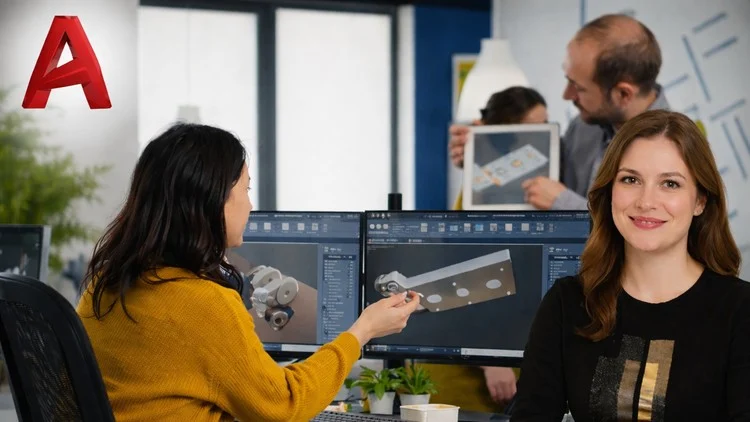
Learn 3D tools, solid modeling, modifying techniques, materials, views, and printing through hands-on AutoCAD projects.
⏱️ Length: 8.5 total hours
👥 430 students
Add-On Information:
Note➛ Make sure your 𝐔𝐝𝐞𝐦𝐲 cart has only this course you're going to enroll it now, Remove all other courses from the 𝐔𝐝𝐞𝐦𝐲 cart before Enrolling!
- Course Overview
- This comprehensive training program is specifically designed to facilitate a seamless transition for professionals moving from the traditional flat world of 2D drafting into the sophisticated realm of volumetric design and three-dimensional spatial analysis.
- The curriculum focuses on deconstructing the complexities of the Z-axis, allowing students to perceive their designs not just as drawings, but as physical objects with mass, volume, and intricate geometric properties.
- Through a structured pedagogical approach, the course explores the AutoCAD 3D Modeling workspace, teaching participants how to customize their interface for maximum efficiency and ergonomics during long design sessions.
- Students will explore the fundamental logic of computational geometry, learning how simple primitives can be combined, subtracted, and manipulated to form highly complex mechanical parts or architectural structures.
- The course emphasizes the importance of design precision, ensuring that every 3D model generated is technically accurate enough for manufacturing, engineering simulations, or high-end architectural visualization.
- By bridging the gap between conceptual sketching and technical realization, the course empowers users to communicate their creative visions with much higher clarity to clients and stakeholders.
- Requirements / Prerequisites
- A functional and foundational understanding of AutoCAD 2D commands is essential, including proficiency with drawing lines, polylines, circles, and utilizing basic editing tools like trim and extend.
- Access to a computer system that meets the recommended hardware specifications for AutoCAD 3D, specifically focusing on a dedicated Graphics Processing Unit (GPU) and sufficient Random Access Memory (RAM) to handle complex rendering tasks.
- A legitimate installation of AutoCAD software (preferably version 2020 or later) is required to follow along with the specific interface layouts and updated toolsets demonstrated in the lessons.
- Basic computer literacy, including file management and navigation within a Windows or macOS environment, to ensure smooth handling of project assets and external references.
- An analytical mindset and a spatial awareness capability are highly beneficial, as 3D modeling requires visualizing objects from multiple perspectives and cross-sections simultaneously.
- Skills Covered / Tools Used
- Mastery of the User Coordinate System (UCS), which is the cornerstone of 3D design, enabling users to redefine their drawing planes dynamically across different faces of a model.
- Advanced application of Boolean Operations, including Union, Subtract, and Intersect, to sculpt complex volumes by merging or removing geometric overlaps between different solid bodies.
- Utilization of Sweep and Loft tools to create organic and complex flowing shapes that cannot be generated through standard extrusion techniques alone.
- In-depth exploration of the Visual Style Manager, allowing designers to toggle between wireframe, conceptual, realistic, and X-ray modes to better inspect their internal geometry.
- Implementation of 3D Gizmos for precise movement, rotation, and scaling of sub-entities, providing a tactile feel to the digital sculpting process.
- Development of Mesh and Surface modeling techniques to supplement solid modeling, providing the flexibility needed for high-detail aesthetic features and ergonomic designs.
- Expertise in Section Plane creation, which allows for the generation of live sections and 2D documentation directly from the 3D master model.
- Integration of Camera and Lighting setups within the AutoCAD environment to simulate real-world environments and produce compelling visual presentations.
- Benefits / Outcomes
- Graduates will possess the ability to produce production-ready 3D prototypes that can be exported for 3D printing (STL files) or CNC machining without geometric errors.
- Significant improvement in design speed and workflow efficiency, as 3D modeling allows for the automatic generation of various 2D views, elevations, and sections that would otherwise take hours to draw manually.
- Enhanced career marketability in industries such as civil engineering, interior design, industrial manufacturing, and fabrication, where 3D proficiency is often a core requirement.
- The capacity to perform clash detection and interference checks within a 3D space, identifying potential construction or assembly errors before they occur in the physical world.
- A robust portfolio of hands-on projects that demonstrate a high level of technical competency to potential employers or high-value freelance clients.
- Total confidence in navigating the AutoCAD ecosystem, transforming the user from a basic drafter into a versatile 3D designer capable of tackling multi-disciplinary projects.
- PROS
- The 8.5-hour duration provides a perfect balance between depth of content and time investment, making it ideal for busy professionals.
- Instruction is rooted in practical, project-based learning, ensuring that every tool learned is immediately applied to a realistic design scenario.
- The course offers versatile application, meaning the skills taught are applicable across various fields ranging from jewelry design to structural engineering.
- Clear, logical progression from basic navigation to advanced modification techniques ensures that no student is left behind regardless of their initial comfort level with 3D.
- CONS
- The course focuses heavily on technical execution within AutoCAD, which may require additional external study for those looking to master photorealistic artistic rendering using third-party engines.
Learning Tracks: English,Design,3D & Animation
Found It Free? Share It Fast!