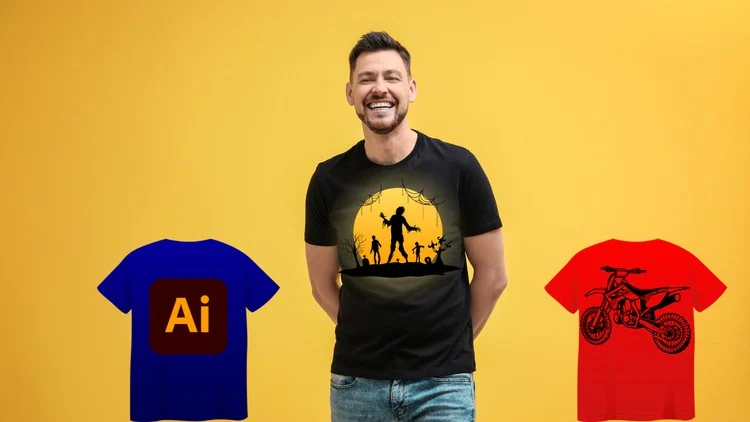
Become a T-Shirt Design Pro: Create Eye-Catching Tees with Illustrator
⏱️ Length: 5.0 total hours
⭐ 4.26/5 rating
👥 21,766 students
🔄 March 2025 update
Add-On Information:
Note➛ Make sure your 𝐔𝐝𝐞𝐦𝐲 cart has only this course you're going to enroll it now, Remove all other courses from the 𝐔𝐝𝐞𝐦𝐲 cart before Enrolling!
- Course Overview
- Discover the comprehensive lifecycle of professional apparel creation, starting from the initial conceptualization on paper and moving through to the final digital execution within the industry-standard software, Adobe Illustrator.
- Explore the unique challenges of designing for textiles, including how to handle fabric textures, garment colors, and the physical limitations of different printing methods such as screen printing, Direct-to-Garment (DTG), and heat transfers.
- Engage with a curriculum specifically updated for the 2025 design landscape, ensuring that all tools, techniques, and export settings are compatible with the latest Creative Cloud updates and modern print-on-demand platform requirements.
- Learn how to translate abstract ideas into wearable art by understanding the principles of composition, focal points, and visual balance as they apply specifically to the human torso rather than a flat piece of paper.
- Understand the commercial side of t-shirt design, including how to research trending niches, identify target audiences, and create designs that are not only aesthetically pleasing but also highly marketable in a competitive retail environment.
- Benefit from a structured 5-hour learning path that balances theoretical design principles with practical, hands-on projects, allowing you to build a professional-grade portfolio as you progress through the lessons.
- Gain insights from a course that has successfully mentored over 21,000 students, utilizing proven pedagogical methods to simplify complex vector illustration concepts for designers of varying skill levels.
- Requirements / Prerequisites
- Access to a computer capable of running the latest version of Adobe Illustrator is essential, as the course relies heavily on specific vector tools and features found in the Creative Cloud suite.
- A basic understanding of computer file management and navigation is required to handle project assets, save various file formats, and organize design iterations effectively throughout the creative process.
- While not strictly mandatory, a Graphics Tablet (such as a Wacom or Huion) is highly recommended for the initial sketching and tracing phases to achieve a more natural, hand-drawn aesthetic in your digital vectors.
- A creative mindset and a willingness to iterate on designs are crucial, as the course encourages students to push past their first drafts to find the most impactful visual solutions for their t-shirt concepts.
- No prior experience in professional drawing is necessary; the course provides the foundational steps to turn even basic shapes and rough sketches into polished, professional-grade vector illustrations.
- Skills Covered / Tools Used
- Master the Pen Tool and Curvature Tool to achieve clean, scalable lines that remain crisp at any size, a necessity for high-quality garment printing where pixelation is unacceptable.
- Utilize the Shape Builder Tool and Pathfinder Panel to construct complex mascot logos and geometric designs by merging and subtracting simple primitive shapes with surgical precision.
- Implement advanced Typography techniques, including kerning, tracking, and custom letterform manipulation, to create unique slogans that stand out from generic, pre-made fonts found in basic design apps.
- Learn the art of Color Separations and the use of Global Swatches to ensure your designs remain within the “limited palette” requirements often imposed by traditional screen printing shops to save on production costs.
- Apply Opacity Masks and Grain Textures to give your designs a “vintage” or “distressed” look, a popular aesthetic in modern streetwear that adds character and depth to flat vector art.
- Navigate the Layers Panel with professional efficiency, organizing your workspace to allow for easy edits, color swaps, and the creation of multiple design variations within a single project file.
- Prepare production-ready files by mastering Expand Appearance, Create Outlines for text, and Clipping Masks, ensuring that your artwork prints exactly as intended without missing elements or font errors.
- Benefits / Outcomes
- Acquire the technical proficiency to transition from a hobbyist illustrator to a professional apparel designer capable of working for clothing brands, sports teams, or independent merchandise labels.
- Develop a streamlined workflow that drastically reduces the time taken to move from a rough pencil sketch to a high-resolution vector file, increasing your productivity and potential for freelance earnings.
- Gain the confidence to set up your own Print-on-Demand (POD) store on platforms like Redbubble, Teespring, or Merch by Amazon, equipped with the knowledge of how to create files that meet their strict technical specs.
- Learn how to create realistic T-Shirt Mockups using your Illustrator designs, providing you with high-quality marketing materials to showcase your work on social media or in a professional design portfolio.
- Understand the nuances of Color Theory as it relates to garment color coordination, ensuring your artwork complements the specific shirt fabric (e.g., heather gray, navy, or black) it will be printed on.
- Establish a foundation in vector mathematics and geometry that extends beyond t-shirt design, giving you the skills to branch out into logo design, iconography, and general digital illustration.
- PROS
- Includes real-world project examples that mirror the actual tasks a freelance designer would receive from a corporate client or a local brand.
- The 2025 update ensures all shortcuts and interface layouts match the current software version, eliminating the confusion caused by outdated tutorials.
- Provides a deep dive into the “Print-Ready” aspect, which is often overlooked in general Illustrator courses but is vital for physical product manufacturing.
- High student engagement and a solid 4.26/5 rating reflect a community-validated learning experience that delivers on its promises.
- CONS
- The fast-paced nature of the vectorization modules may require beginners to frequently pause and re-watch sections to fully grasp the intricacies of anchor point manipulation and path geometry.
Learning Tracks: English,Design,Graphic Design & Illustration
Found It Free? Share It Fast!