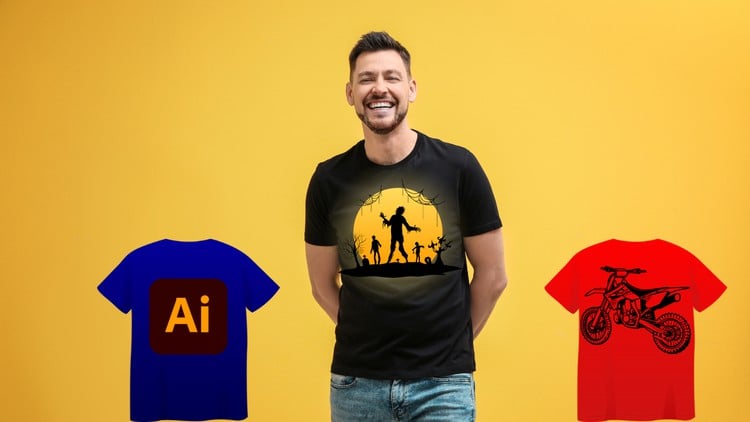
Become a T-Shirt Design Pro: Create Eye-Catching Tees with Illustrator
⏱️ Length: 5.0 total hours
⭐ 4.23/5 rating
👥 20,166 students
🔄 March 2025 update
Add-On Information:
Note➛ Make sure your 𝐔𝐝𝐞𝐦𝐲 cart has only this course you're going to enroll it now, Remove all other courses from the 𝐔𝐝𝐞𝐦𝐲 cart before Enrolling!
- Course Overview
- Embark on a transformative journey to master the art of t-shirt design, transforming your creative visions into commercially viable apparel with Adobe Illustrator.
- This comprehensive program is meticulously crafted to guide aspiring designers and seasoned artists alike through the entire t-shirt design lifecycle, from the initial spark of an idea to the final, print-ready artwork.
- Leveraging the industry-standard capabilities of Adobe Illustrator, you’ll acquire the essential skills to conceptualize, develop, and refine designs that capture attention and resonate with target audiences.
- The course emphasizes a practical, hands-on approach, ensuring that you not only understand theoretical concepts but can also immediately apply them to your design projects.
- You’ll explore the unique considerations for designing apparel, understanding how to create graphics that will translate effectively to various fabric types and printing methods.
- Discover strategies for developing designs that are not only aesthetically pleasing but also commercially successful in the competitive t-shirt market.
- By the end of this course, you’ll possess a robust portfolio of t-shirt designs and the confidence to launch your own apparel brand or offer your design services professionally.
- Requirements / Prerequisites
- A functional computer with Adobe Illustrator installed. A free trial of Adobe Illustrator is readily available from Adobe if you do not currently own a license.
- A passion for graphic design and a keen eye for aesthetics.
- Basic computer literacy, including file management and software navigation.
- No prior experience with Adobe Illustrator is strictly necessary; the course begins with fundamental concepts.
- A willingness to experiment and embrace creative problem-solving.
- Skills Covered / Tools Used
- Vector Graphic Creation: Master the creation and manipulation of vector shapes, paths, and outlines essential for scalable t-shirt artwork.
- Typography Mastery: Learn advanced techniques for text manipulation, custom lettering, and creating impactful typographic designs suitable for apparel.
- Color Theory & Application: Understand how to select and apply color palettes effectively for t-shirt designs, considering print limitations and visual appeal.
- Layer Management & Organization: Develop efficient strategies for organizing your design elements using layers for streamlined workflow and easy editing.
- Illustration Techniques: Explore various illustration styles and methods within Illustrator to produce unique and engaging graphics.
- Shape Manipulation & Transformation: Gain proficiency in using Illustrator’s tools to distort, transform, and combine basic shapes into complex forms.
- Brush & Effect Application: Discover how to utilize and customize brushes, and apply various effects to add texture, depth, and artistic flair to your designs.
- Design for Print: Understand essential considerations for preparing artwork for screen printing and direct-to-garment (DTG) printing, including resolution, color modes, and bleed.
- Workflow Optimization: Learn tips and tricks to enhance your design process, saving time and increasing productivity within Adobe Illustrator.
- Iconography & Symbolism: Develop the ability to create clear and impactful icons and symbols that effectively communicate messages on apparel.
- Art Brush Customization: Learn to create and apply your own custom art brushes for unique stylistic elements.
- Pattern Design Fundamentals: Explore basic principles of creating repeating patterns for t-shirt designs.
- Graphic Design Principles: Understand core design concepts such as balance, contrast, hierarchy, and unity as applied to t-shirt graphics.
- Exporting for Production: Master the process of exporting your finished designs in the correct file formats and specifications required by print shops.
- Adobe Illustrator’s Core Interface & Tools: Become intimately familiar with the workspace, selection tools, pen tool, shape tools, type tool, gradient tool, and Pathfinder panel.
- Benefits / Outcomes
- Develop a professional portfolio showcasing a diverse range of t-shirt designs ready for presentation.
- Gain the confidence to approach freelance t-shirt design projects or start your own online apparel business.
- Understand the technical requirements for t-shirt printing, ensuring your designs are print-ready.
- Acquire the ability to conceptualize and execute original t-shirt designs from scratch.
- Learn to create visually appealing and marketable graphics that cater to specific niches and trends.
- Enhance your overall graphic design skills and proficiency in Adobe Illustrator.
- Save time and effort by mastering efficient design workflows within Illustrator.
- Be equipped to troubleshoot common design issues encountered in t-shirt production.
- Turn your creative passion into a potential income stream or a fulfilling side hustle.
- Develop a deeper understanding of how design impacts brand identity and consumer appeal in the apparel industry.
- Master the creation of designs that are both artistically compelling and commercially viable.
- PROS
- Comprehensive Skill Development: Covers the entire t-shirt design process from initial concept to print-ready files.
- Industry-Standard Software: Focuses on Adobe Illustrator, a widely recognized and utilized tool in professional design.
- Practical, Project-Based Learning: Emphasizes hands-on application through numerous design examples.
- High Student Engagement: A large existing student base suggests a well-received and effective curriculum.
- Regular Updates: March 2025 update indicates ongoing relevance and potential inclusion of new features or techniques.
- Accessible for Beginners: Designed to accommodate individuals with little to no prior Illustrator experience.
- CONS
- Software Cost: Requires a subscription to Adobe Illustrator, which can be a barrier for some.
Learning Tracks: English,Design,Graphic Design & Illustration
Found It Free? Share It Fast!