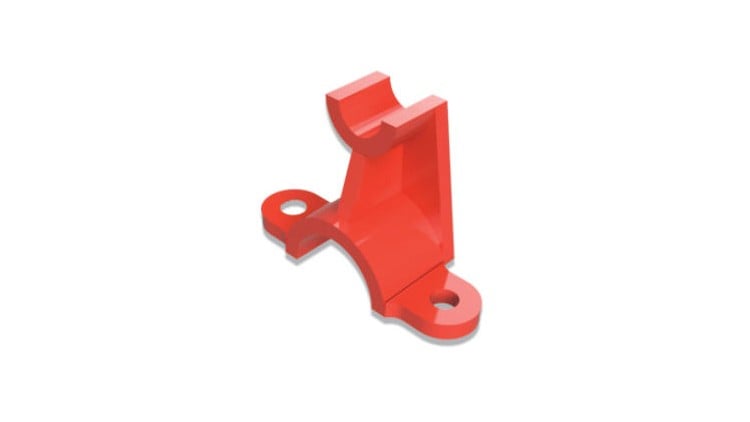
Step-by-Step Guide to Fusion 360
⏱️ Length: 8.7 total hours
⭐ 4.31/5 rating
👥 7,401 students
🔄 July 2025 update
Add-On Information:
Note➛ Make sure your 𝐔𝐝𝐞𝐦𝐲 cart has only this course you're going to enroll it now, Remove all other courses from the 𝐔𝐝𝐞𝐦𝐲 cart before Enrolling!
- Course Overview
- This comprehensive tutorial-based course is meticulously crafted to transform absolute beginners into confident 3D modelers using Autodesk Fusion 360. It offers a clear, sequential learning path, starting from fundamental concepts and progressively building towards intricate design challenges, imparting not just software proficiency but also strong parametric design principles for adaptable models.
- Beyond merely demonstrating tools, the course emphasizes developing a robust design workflow and engaging with real-world project examples. This hands-on approach ensures learners understand when and why to use specific tools for optimal results, fostering a deeper, more intuitive grasp of 3D design.
- It is ideal for aspiring product designers, mechanical engineers, hobbyists, or entrepreneurs looking to prototype their ideas without extensive prior CAD experience. The curriculum focuses on building design intent, creating easily editable and scalable models crucial for iterative design processes.
- Explore the integrated nature of Fusion 360, understanding how its unified cloud-based platform bridges design, engineering, and manufacturing. This course lays the groundwork for leveraging collaborative features, preparing students for modern product development workflows.
- Requirements / Prerequisites
- Access to a computer (Windows or macOS) capable of running Autodesk Fusion 360 smoothly; a modern processor and adequate RAM are recommended for optimal performance.
- A stable internet connection is essential for downloading the Fusion 360 software, accessing course materials, and utilizing Fusion 360’s cloud-based features for project storage and sharing.
- A working installation of Autodesk Fusion 360. Learners can utilize the free personal/hobbyist license or educational license provided by Autodesk, making the software accessible without significant initial investment.
- Basic computer literacy, including familiarity with navigating file systems, using a mouse (preferably a 3-button mouse for easier 3D navigation), and basic keyboard shortcuts. No prior 3D modeling or CAD experience is necessary.
- A genuine interest in 3D design, product development, or digital fabrication. A curious and experimental mindset will greatly enhance the learning experience and encourage creative application of the tools.
- Skills Covered / Tools Used
- Mastering the art of parametric modeling to create designs that can be easily modified and adapted through parameter changes, ensuring design flexibility and efficiency for future iterations.
- Advanced manipulation of geometries using direct editing tools, allowing for quick adjustments to imported models or precise tweaks to existing designs that might not be parametrically driven.
- Developing complex solid models by combining and subtracting various forms using Boolean operations, and understanding the nuances of creating intricate multi-body designs within a single component file.
- Generation of technical drawings and documentation from your 3D models, including orthographic projections, isometric views, dimensioning, and annotations suitable for manufacturing or presentation purposes.
- Introduction to assembly modeling principles, learning to bring multiple components together, define relationships with joints and constraints, and simulate mechanical motion or clearances between parts.
- Exploring basic rendering techniques to create photorealistic images of your designs, applying materials, textures, and lighting environments to visualize your concepts in a compelling manner for portfolio or client presentations.
- Fundamentals of design analysis through simple simulation tools, gaining an understanding of how your designs might behave under stress or load conditions (e.g., static stress analysis fundamentals).
- Preparation of models for various manufacturing processes, including an overview of generating toolpaths for CNC machining (CAM) and optimizing designs for 3D printing, understanding common pitfalls and best practices.
- Utilizing Fusion 360’s collaborative features for project management, version control, and secure sharing of designs with team members or clients, harnessing the power of the cloud for distributed workflows.
- Benefits / Outcomes
- Confidently translate your innovative ideas from concept to a tangible 3D digital model, ready for prototyping, visualization, or production, empowering you to bring your creative visions to life.
- Acquire a highly sought-after skill set in 3D CAD design, opening doors to career opportunities in product design, mechanical engineering, industrial design, manufacturing, and rapid prototyping sectors.
- Build a professional portfolio of compelling 3D models and rendered images that showcase your proficiency in Fusion 360, serving as a robust demonstration of your technical and creative capabilities to potential employers or clients.
- Develop a keen eye for design for manufacturability (DFM), understanding how design decisions impact production costs, material usage, and assembly processes, leading to more practical and cost-effective designs.
- Gain the foundational knowledge to effectively communicate design intent and specifications through industry-standard 2D drawings and detailed 3D models, fostering clearer collaboration in engineering teams.
- Master problem-solving methodologies inherent in design challenges, learning to iterate quickly and efficiently adapt designs based on feedback, testing, or evolving requirements.
- Empower yourself to embark on personal projects such as designing custom parts, crafting inventions, or preparing models for personal 3D printing and CNC milling endeavors.
- Become an proficient user of a leading cloud-based CAD/CAM/CAE platform, staying current with modern engineering tools and methodologies used by professionals globally.
- PROS
- Self-Paced Learning: Flexible video tutorials allow you to learn at your own speed, revisit complex topics, and integrate learning seamlessly into your schedule.
- Highly Rated & Popular: A strong rating (4.31/5) from a significant number of students (7,401) indicates high satisfaction and proven effectiveness of the course content and delivery.
- Up-to-Date Content: The “July 2025 update” ensures that the course material reflects the latest features and functionalities of Fusion 360, keeping your skills current and relevant.
- Practical & Project-Based: Emphasis on hands-on application ensures that theoretical knowledge is immediately put into practice, fostering deeper understanding and skill retention.
- Accessibility of Software: Leveraging Fusion 360’s availability of free personal/hobbyist and educational licenses makes this a cost-effective entry point into professional CAD software.
- Comprehensive for Beginners: Structured as a “Step-by-Step Guide,” it caters excellently to individuals with no prior CAD experience, building fundamental skills progressively.
- Foundation for Advanced Concepts: While covering basics, the course builds a solid foundation for exploring more advanced aspects of Fusion 360 like generative design, advanced CAM, or simulation.
- CONS
- Limited Direct Interaction: As a tutorial video-based course, it may offer limited opportunities for real-time, personalized feedback or direct Q&A with an instructor for specific, immediate design challenges.
Learning Tracks: English,Design,Design Tools
Found It Free? Share It Fast!