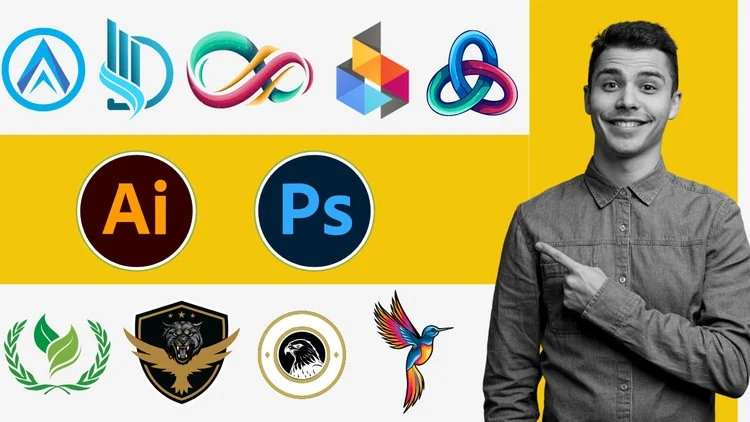
Learn Logo Design Techniques: A Comprehensive Guide with Photoshop and Illustrator
⏱️ Length: 4.0 total hours
⭐ 3.99/5 rating
👥 27,671 students
🔄 August 2024 update
Add-On Information:
Note➛ Make sure your 𝐔𝐝𝐞𝐦𝐲 cart has only this course you're going to enroll it now, Remove all other courses from the 𝐔𝐝𝐞𝐦𝐲 cart before Enrolling!
- Course Overview
- Bridging Two Creative Worlds: This comprehensive curriculum is specifically designed to bridge the gap between the raster-based power of Adobe Photoshop and the vector-precision capabilities of Adobe Illustrator, providing a holistic approach to modern brand identity.
- From Conceptualization to Execution: You will embark on a structured journey that begins with foundational design theories and progresses into the technical execution of complex, scalable logos that look professional across all media formats.
- Industry-Standard Best Practices: The course emphasizes high-level industry standards, ensuring that every project you undertake adheres to the technical requirements expected by professional printing houses and digital marketing agencies globally.
- Dynamic Workflow Integration: Students will discover how to seamlessly move assets between Photoshop and Illustrator, leveraging the specific strengths of each application to create textured, high-impact designs that maintain their mathematical integrity.
- Building a Professional Mindset: Beyond just technical button-clicking, the overview focuses on developing a “designer’s eye,” helping you understand the psychology of shapes, the weight of lines, and the importance of visual balance in minimalist and complex logos.
- Requirements / Prerequisites
- Software Access: Participants must have access to a working version of Adobe Photoshop and Adobe Illustrator, preferably the Creative Cloud (CC) versions, to follow along with the latest tools and interface updates mentioned in the curriculum.
- Basic Computer Literacy: A fundamental understanding of how to manage files, navigate a desktop operating system (Windows or macOS), and download resource materials is necessary to maintain a steady pace through the video modules.
- No Prior Design Experience Needed: This course is built for the “Zero,” meaning you do not need a background in fine arts or previous graphic design education; all core concepts are introduced from the ground up for absolute beginners.
- Hardware Specifications: It is recommended to use a computer with a dedicated graphics card and at least 8GB of RAM to ensure that both Photoshop and Illustrator can run simultaneously without performance lag during complex rendering tasks.
- Creative Motivation: A strong desire to learn and a willingness to iterate on designs is essential, as the course encourages hands-on practice and multiple revisions to achieve professional-grade results.
- Skills Covered / Tools Used
- Vector Mastery with the Pen Tool: Deep dive into the most critical tool in Adobe Illustrator, learning to create precise Bézier curves, anchors, and paths that form the structural foundation of every high-quality vector logo.
- Advanced Typography and Kerning: Learn how to select, modify, and customize fonts to create unique wordmarks, including manual adjustments to character spacing (kerning) and line height (leading) for maximum readability.
- Mastering Color Theory and Palettes: Utilization of the Adobe Color wheel and internal swatches to create harmonious color schemes that evoke specific emotional responses and align with brand values.
- Shape Builder and Pathfinder Operations: Exploration of geometric construction techniques in Illustrator, using Boolean operations to combine, subtract, and intersect simple shapes into complex, iconic symbols.
- Raster Effects and Mockups: Leveraging Adobe Photoshop to apply realistic textures, lighting effects, and shadows to your vector designs, creating high-fidelity 3D mockups for professional client presentations.
- Grid Systems and the Golden Ratio: Introduction to using mathematical grids and circular ratios to create perfectly symmetrical and visually pleasing designs that stand the test of professional scrutiny.
- Layer Management and Non-Destructive Editing: Learning the vital importance of organizing layers, using clipping masks, and employing smart objects to ensure your design files remain editable and organized for future modifications.
- Benefits / Outcomes
- Comprehensive Portfolio Development: By the end of the course, you will have completed multiple real-world projects that can be showcased in a professional portfolio to attract potential employers or freelance clients.
- Freelance Readiness: You will gain the confidence to take on paid logo design commissions, understanding how to interpret a client brief and translate abstract ideas into tangible visual assets.
- Standardized File Exporting: Acquire the knowledge to export logos in all necessary formats, including AI, EPS, SVG, PNG, and JPEG, ensuring your clients receive a complete and professional brand package.
- Efficiency and Speed: Through the mastery of keyboard shortcuts and optimized workflows, you will drastically reduce the time it takes to move from an initial sketch to a finished digital product.
- Visual Literacy: Graduates will possess a heightened sense of aesthetic judgment, allowing them to critique and improve existing designs while staying ahead of modern branding trends and visual styles.
- Cross-Platform Versatility: The ability to handle both raster and vector tasks makes you a versatile asset in the job market, as you will be equipped to handle tasks ranging from print design to digital UI assets.
- PROS
- Balanced Software Approach: Unlike courses that focus only on one tool, this course teaches the synergy between Photoshop and Illustrator, providing a more versatile skill set for the modern market.
- Practical Project Focus: The 4.0 hours of content are packed with actionable tasks rather than just theoretical lectures, ensuring you spend more time designing than watching.
- Updated Content: The August 2024 update ensures that the interface and tools demonstrated are relevant to the current versions of Adobe software, avoiding the confusion of outdated tutorials.
- CONS
- Intensity for Beginners: The rapid progression from “Zero to Pro” in just four hours may feel fast-paced for those who struggle with software navigation, requiring some students to pause and re-watch sections frequently to fully grasp complex vector operations.
Learning Tracks: English,Design,Graphic Design & Illustration
Found It Free? Share It Fast!