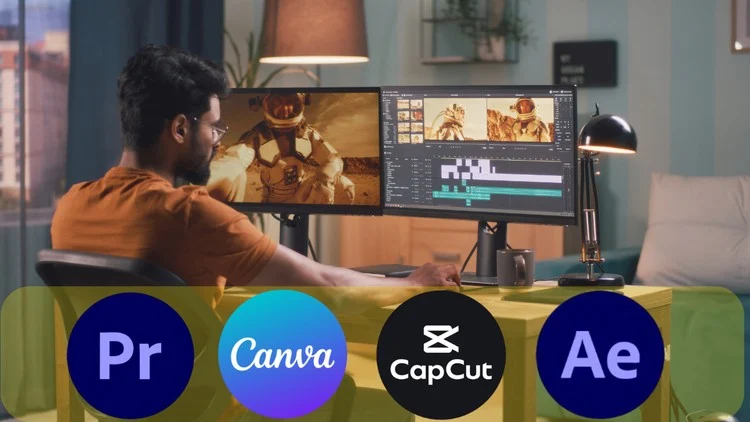
Learn Video Editing with Adobe Premiere Pro Canva CapCut After Effect for Social Media Facebook Instagram TikTok YouTube
⏱️ Length: 11.1 total hours
⭐ 4.35/5 rating
👥 12,809 students
🔄 July 2025 update
Add-On Information:
Note➛ Make sure your 𝐔𝐝𝐞𝐦𝐲 cart has only this course you're going to enroll it now, Remove all other courses from the 𝐔𝐝𝐞𝐦𝐲 cart before Enrolling!
- Course Overview
- Mastering the Viral Hook: This masterclass focuses heavily on the psychology of social media viewership, teaching you how to craft compelling introductions that stop the scroll on platforms like TikTok and Instagram. You will learn how to synthesize information into fast-paced, high-retention segments that cater to the modern short attention span while maintaining high production value.
- Integrated Multi-Platform Workflow: Rather than focusing on a single software, this course offers a holistic approach to content creation. You will discover how to transition a single project across different tools, utilizing the professional power of Adobe Premiere Pro for core editing and the agility of CapCut for trending mobile effects, ensuring your content is optimized for every specific platform’s algorithm.
- 2025 Creative Trends and Aesthetics: Stay ahead of the curve with a curriculum updated for July 2025, covering the latest visual styles, AI-assisted editing tools, and trending transitions. The course bridges the gap between traditional cinematic editing and the raw, authentic aesthetic currently favored by social media influencers and brand marketers worldwide.
- Requirements / Prerequisites
- Hardware and Software Access: Students should have a functional desktop or laptop capable of running the Adobe Creative Cloud suite (Premiere Pro and After Effects). Additionally, access to a smartphone for CapCut mobile or a computer for the desktop version is essential, alongside a basic or pro Canva account for graphic design elements.
- Basic Digital Literacy: While no prior video editing experience is required, a foundational understanding of file management, such as downloading assets, organizing folders, and basic internet navigation, is necessary to keep pace with the technical demonstrations provided throughout the 11.1 hours of content.
- Creative Curiosity and Passion: A desire to tell stories through moving images and an interest in social media trends are the most important prerequisites. Successful students typically possess a willingness to experiment with different visual styles and a commitment to practicing the techniques through the provided project files.
- Skills Covered / Tools Used
- Adobe Premiere Pro Precision: Deep dive into the industry-standard nonlinear editor to master timeline management, advanced trimming, and color correction. You will learn to use the Lumetri Color panel to give your social media videos a professional, cinematic look that stands out from standard mobile filters.
- After Effects Motion Graphics: Elevate your content with custom animations and visual effects. This section covers keyframing, motion tracking, and the creation of dynamic text overlays that are essential for high-end YouTube intros and promotional advertisements that require a polished, branded feel.
- CapCut and Mobile Agility: Harness the power of the world’s most popular mobile editor for quick-turnaround content. You will master speed ramping, 3D zoom effects, and the use of built-in templates to produce high-energy Reels and TikToks in a fraction of the time it takes on a desktop.
- Canva for Creators: Learn to design eye-catching thumbnails, end screens, and overlay graphics that complement your video content. This tool is used to bridge the gap between static design and video, ensuring your channel branding is consistent across all visual touchpoints.
- Benefits / Outcomes
- Professional Portfolio Development: By the end of the course, you will have a diverse portfolio of edited clips ranging from short-form vertical videos to longer-form YouTube content. This tangible evidence of your skills is crucial for securing freelance gigs or applying for full-time social media management roles.
- Increased Audience Engagement: Gain the technical skills to produce content that the algorithm favors. By implementing the advanced pacing and sound design techniques taught in the class, you can expect higher view counts, longer watch times, and increased follower growth on your personal or brand accounts.
- Efficiency and Speed: One of the primary outcomes is the development of a streamlined editing workflow. You will learn keyboard shortcuts, preset management, and template creation, allowing you to produce high-quality videos in hours rather than days, which is essential for the fast-paced world of social media.
- PROS
- Versatile Toolset: The unique combination of four distinct software programs ensures that you are never limited by your tools, allowing you to choose the most efficient workflow for any given project.
- High Student Satisfaction: With a 4.35/5 rating from over 12,000 students, the course has a proven track record of delivering actionable value and clear instruction to a massive global audience.
- Up-to-Date Content: The July 2025 update ensures that the techniques and interface walkthroughs remain relevant to the current software versions and social media landscapes.
- CONS
- Substantial Software Costs: To fully utilize every section of the course, students must maintain several different software subscriptions, which may represent a significant recurring financial investment for beginners.
Learning Tracks: English,Photography & Video,Video Design
Found It Free? Share It Fast!