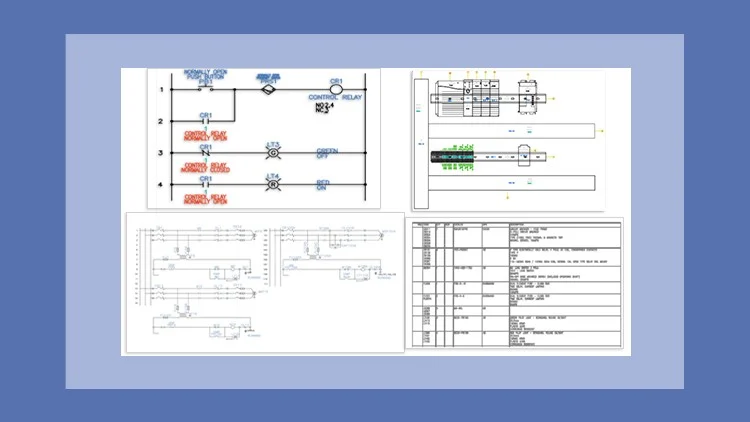
A Masterclass – Step-by-Step Learning Made Easy
⏱️ Length: 6.6 total hours
⭐ 4.17/5 rating
👥 2,833 students
🔄 October 2025 update
Add-On Information:
Note➛ Make sure your 𝐔𝐝𝐞𝐦𝐲 cart has only this course you're going to enroll it now, Remove all other courses from the 𝐔𝐝𝐞𝐦𝐲 cart before Enrolling!
- Course Caption: A Masterclass Step-by-Step Learning Made Easy Length: 6.6 total hours 4.17/5 rating 2,833 students October 2025 update
- Course Overview
- This masterclass offers a streamlined, project-based approach to mastering AutoCAD Electrical 2026, transforming learners into proficient electrical designers.
- Dive into the latest features of AutoCAD Electrical 2026, ensuring skills are current with industry standards as of the October 2025 update.
- Learn through practical tutorials and hands-on exercises that simulate real-world design challenges, fostering immediate application.
- Discover efficient workflows and productivity tips to create accurate, intelligent electrical schematics, panel layouts, and reports.
- Requirements / Prerequisites
- Basic Computer Literacy: Fundamental comfort with operating a computer, managing files, and navigating software interfaces is essential.
- Familiarity with General CAD Concepts: An understanding of basic CAD principles like layers, lines, and drawing environments is beneficial.
- Access to AutoCAD Electrical 2026 Software: Participants need a licensed or trial version of the software for hands-on practice.
- Fundamental Electrical Knowledge: A basic grasp of electrical circuits, components, and schematic symbols will enhance the learning experience.
- Skills Covered / Tools Used
- Project Creation & Management: Learn to initiate new projects, configure drawing properties, and organize components for a robust design foundation.
- Intelligent Schematic Design: Master creating electrical schematics, inserting smart components, utilizing wire networks, and applying automated taggings.
- Automated Wire Numbering & Tagging: Implement various methods for automatic wire numbering and component tagging, reducing manual effort and errors.
- PLC I/O Integration & Drawings: Design and integrate PLC modules, assign I/O addresses, and generate comprehensive PLC input/output drawings.
- Panel Layout Configuration: Develop detailed 2D panel layouts, incorporating component footprints, terminal strips, and ducting, linked to schematic designs.
- Cross-Referencing & Navigation: Utilize powerful cross-referencing tools to navigate complex designs, ensuring consistency across multiple drawings and components.
- Report Generation & Documentation: Generate critical project reports like Bill of Materials (BOM), wire lists, and terminal plans for complete project documentation.
- Symbol Creation & Customization: Modify existing library symbols and create custom schematic and panel symbols to expand your design toolkit.
- Terminal Strip Editor Mastery: Efficiently manage terminal strips, assign wire numbers, and create accurate layouts, streamlining panel wiring.
- Utilizing Catalog Browser: Leverage integrated Catalog Browser to quickly find and assign manufacturer parts and catalog data to components.
- Component Interconnections: Understand how to logically and physically connect different components within the software for a cohesive system design.
- Drawing Update & Audit Tools: Employ specialized tools to audit drawings for errors, update components, and ensure project consistency.
- Benefits / Outcomes
- Accelerated Design Proficiency: Gain the ability to rapidly produce accurate, professional electrical control system designs using AutoCAD Electrical 2026.
- Enhanced Productivity & Efficiency: Leverage automation features to significantly reduce design time, minimize errors, and boost overall project delivery.
- Career Advancement Opportunities: Acquire in-demand skills, opening doors to roles in electrical engineering, automation, and control systems design.
- Confidence in Complex Projects: Develop expertise to tackle intricate electrical projects, from concept to documentation, with precision and professionalism.
- Industry-Standard Documentation: Master the generation of comprehensive, organized, and standardized documentation for manufacturing and maintenance.
- PROS
- Highly Current Content: Directly targets AutoCAD Electrical 2026, reflecting the latest software updates and industry-relevant features from October 2025.
- Practical, Hands-on Learning: Emphasizes real-world application through tutorials, practical exercises, and project-based assignments.
- Efficient & Concise: Delivers a substantial skill set within a focused 6.6-hour timeframe, ideal for busy professionals seeking impactful learning.
- Masterclass Quality: Structured for comprehensive understanding, ensuring learners grasp not just “how” but also “why” specific design practices are employed.
- CONS
- Limited Scope for Niche Applications: Given the 6.6-hour duration, highly specialized or extremely advanced topics within electrical design may receive less extensive coverage.
Learning Tracks: English,IT & Software,Other IT & Software
Found It Free? Share It Fast!