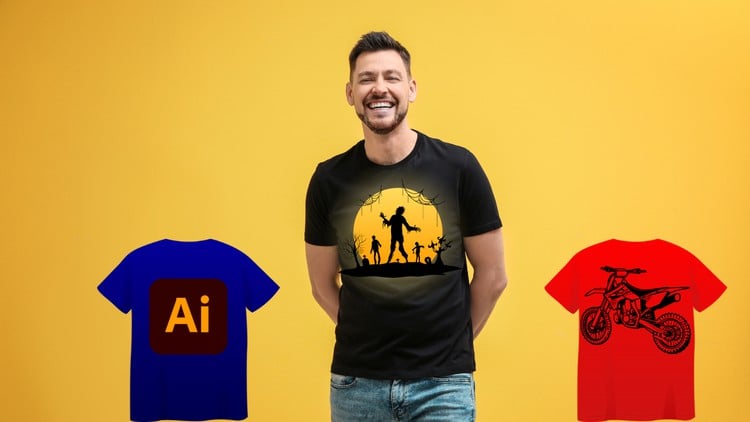
Become a T-Shirt Design Pro: Create Eye-Catching Tees with Illustrator
⏱️ Length: 5.0 total hours
⭐ 4.30/5 rating
👥 21,092 students
🔄 March 2025 update
Add-On Information:
Note➛ Make sure your 𝐔𝐝𝐞𝐦𝐲 cart has only this course you're going to enroll it now, Remove all other courses from the 𝐔𝐝𝐞𝐦𝐲 cart before Enrolling!
-
Course Overview
- This comprehensive course, “Adobe Illustrator for T-Shirt Design: From Sketch to Print,” empowers aspiring designers and entrepreneurs to create compelling apparel graphics. It guides you through the entire t-shirt design workflow, from initial concept development to generating professional print-ready files using Adobe Illustrator. The curriculum emphasizes practical, project-based learning, cultivating both software proficiency and a strong understanding of design principles unique to wearable art. This journey is crucial for anyone aiming to launch an apparel brand, offer freelance design services, or enhance their graphic design portfolio with a focus on commercial merchandise.
-
Requirements / Prerequisites
- Adobe Illustrator Software: Access to Adobe Illustrator CC (Creative Cloud) or a recent standalone version (CS6 or later) is essential for hands-on practice. A free trial is often available from Adobe.
- Basic Computer Literacy: Familiarity with fundamental computer operations, such as file management and software navigation, will ensure a smooth learning experience. No advanced technical skills are required.
- Passion for Design: An open mind and genuine interest in graphic design, particularly within the fashion and apparel sector, are key. While prior Illustrator experience isn’t mandatory, enthusiasm for creative work is highly beneficial.
- Stable Internet Connection: Recommended for accessing all course materials, downloading project assets, and staying updated with any additional resources.
-
Skills Covered / Tools Used
- Vector Graphics Fundamentals: Master creating scalable vector artwork suitable for various print sizes without pixelation, focusing on paths, anchors, and Bézier curves in Illustrator.
- Advanced Typography for Apparel: Learn to select, customize, and integrate fonts dynamically into t-shirt designs. Explore techniques for outlining text, applying effects, and ensuring legibility and impact.
- Color Theory and Print Application: Understand effective color palette creation for t-shirts, differentiating between RGB and CMYK color modes to prepare files for optimal print results.
- Shape Building & Pathfinder Techniques: Gain proficiency in constructing intricate designs from basic geometric shapes using Illustrator’s tools and the powerful Pathfinder panel for combining, subtracting, and dividing elements.
- Custom Brush Tool Application: Utilize and create custom art brushes to add unique textures, hand-drawn effects, and illustrative details, enhancing the distinctiveness of your t-shirt graphics.
- Professional Layer Management: Develop organized workflows by effectively using layers and groups for complex designs, ensuring clarity, editability, and ease of collaboration on projects.
- Print-Ready File Preparation: Acquire critical skills for setting up artboards, understanding bleed, ensuring correct resolutions, and exporting designs in appropriate formats (AI, EPS, PDF, high-res PNG) for commercial printing.
- Design Ideation & Visualization: Cultivate systematic approaches to brainstorming and conceptualizing original t-shirt designs, transforming initial sketches into refined digital artwork, including visual research.
- T-Shirt Mockup Creation: Learn to produce professional t-shirt mockups to effectively showcase your designs to clients or for marketing purposes, visualizing artwork on realistic garment templates.
- Graphic Effects & Transformations: Experiment with Illustrator’s distortion tools, envelopes, and graphic effects to add depth, movement, and unique visual interest to both typography and illustrations.
-
Benefits / Outcomes
- Produce Professional T-Shirt Designs: Confidently create a diverse portfolio of print-ready t-shirts meeting industry standards for various niches and audiences.
- Launch a Creative Venture: Gain the practical skills to start your own custom apparel brand, offer freelance t-shirt design services, or expand existing creative offerings.
- Master Illustrator for Apparel: Develop a strong command of Adobe Illustrator functionalities specifically tailored for t-shirt design, a valuable skill transferable across graphic design disciplines.
- Build a Robust Design Portfolio: Complete multiple project-based assignments, culminating in a strong portfolio that showcases your ability to create innovative and commercially viable apparel graphics.
- Understand the Full Design-to-Print Workflow: Acquire a holistic understanding of the entire t-shirt design process, from conceptualization and digital execution to preparing files for various printing methods.
- Unleash Creative Expression: Cultivate your artistic vision and learn methodologies to consistently generate fresh, original ideas for impactful t-shirt designs.
-
PROS
- Highly Practical and Project-Based: Emphasizes hands-on creation, building a tangible portfolio and real-world experience.
- Direct Commercial Application: Tailored specifically for T-shirt design, ideal for entrepreneurs and those entering the apparel market.
- Efficient Skill Acquisition: A focused 5-hour duration provides an effective path to specialized Illustrator skills.
- Strong Community Validation: A 4.30/5 rating from over 21,000 students signifies a highly effective learning experience.
- Up-to-Date Content: The March 2025 update ensures currency with software and industry best practices.
- Empowers Entrepreneurship: Directly enables students to create marketable products and launch creative ventures.
- Comprehensive Workflow: Covers the entire process from initial concept to final print-ready file preparation.
-
CONS
- Pacing for Absolute Beginners: While introductory, the course’s pace might be fast for individuals entirely new to Adobe Illustrator or graphic design software concepts.
Learning Tracks: English,Design,Graphic Design & Illustration
Found It Free? Share It Fast!