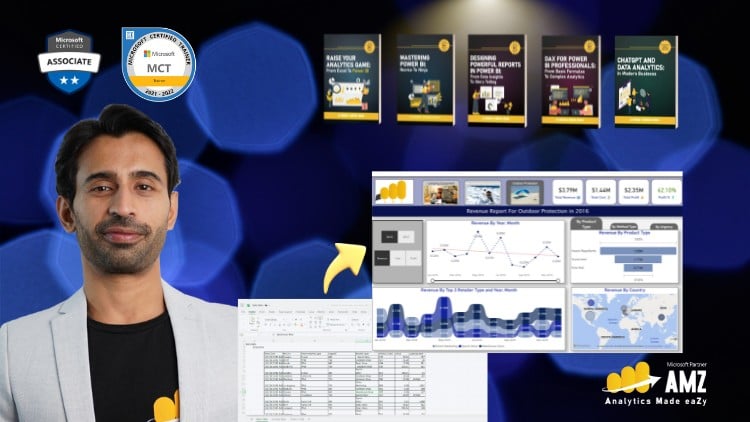
Mastering Data Analysis and Dynamic Visualizations with Microsoft Power BI – Recorded Live with Executives in Training.
⏱️ Length: 4.5 total hours
⭐ 4.52/5 rating
👥 33,182 students
🔄 November 2025 update
Add-On Information:
Note➛ Make sure your 𝐔𝐝𝐞𝐦𝐲 cart has only this course you're going to enroll it now, Remove all other courses from the 𝐔𝐝𝐞𝐦𝐲 cart before Enrolling!
- Course Overview
- Embark on a transformative journey from Excel’s robust data handling to the dynamic, interactive world of Microsoft Power BI. This course is meticulously designed to bridge the gap for individuals familiar with Excel’s analytical capabilities, offering a clear pathway to harness the full potential of modern business intelligence.
- Leverage the power of recorded live sessions with executives in training, providing an authentic and practical learning environment. Experience high-impact instruction that prioritizes real-world application and strategic data utilization, directly applicable to your professional endeavors.
- Gain an accelerated understanding of Power BI’s core components through a focused 4.5-hour curriculum, ensuring maximum learning impact without unnecessary time investment. This efficient structure is ideal for busy professionals seeking to upskill rapidly.
- Benefit from a course updated in November 2025, reflecting the latest features and best practices in Power BI, ensuring your knowledge remains current and relevant in today’s fast-evolving data landscape.
- Join a thriving community of over 33,000 students who have already benefited from this comprehensive introduction to Power BI, a testament to its effectiveness and high satisfaction rates (4.52/5 rating).
- Requirements / Prerequisites
- Familiarity with Microsoft Excel: A solid understanding of spreadsheet concepts, data manipulation within Excel (e.g., formulas, basic functions, pivot tables), and general data organization is essential.
- Computer with Internet Access: A stable internet connection is required for accessing course materials and potentially downloading Power BI Desktop.
- Microsoft Power BI Desktop (Free Download): While not strictly a prerequisite for initial learning, having Power BI Desktop installed will enable hands-on practice and project completion. Guidance on installation will be provided.
- Basic Computer Literacy: Comfort navigating your operating system and managing files.
- Skills Covered / Tools Used
- Data Integration Mastery: Go beyond simple Excel imports to connect with a wider array of data sources, including databases, cloud services, and web content, unlocking richer analytical possibilities.
- Data Preparation and Cleansing Techniques: Learn robust methods for transforming raw data into a clean, analysis-ready format, addressing inconsistencies and errors effectively.
- Interactive Dashboard Design: Develop the ability to craft visually compelling and interactive dashboards that tell a clear data story and facilitate informed decision-making.
- Fundamental Data Modeling Concepts: Understand how to establish meaningful connections between different data tables, creating a unified and powerful analytical model.
- Report Publishing and Sharing Strategies: Master the process of sharing your insights with colleagues and stakeholders, ensuring your data-driven recommendations reach the right audience.
- Core Tool: Microsoft Power BI Desktop: The primary platform for building reports and dashboards.
- Supporting Tool: Microsoft Excel (as a reference point): Understanding Excel will aid in grasping Power BI’s enhanced capabilities.
- Benefits / Outcomes
- Elevate Your Analytical Prowess: Transition from static reports to dynamic, self-service business intelligence that empowers you to explore data and uncover hidden trends.
- Enhance Your Professional Value: Acquire in-demand skills that are highly sought after by organizations looking to leverage data for strategic advantage.
- Make Data-Driven Decisions with Confidence: Develop the ability to translate complex data into actionable insights that drive business growth and efficiency.
- Streamline Reporting Processes: Automate and simplify the creation of reports and dashboards, saving valuable time and resources.
- Gain a Competitive Edge: Differentiate yourself in the job market by demonstrating proficiency in one of the leading business intelligence tools.
- Foundation for Advanced Learning: This course provides a strong base, enabling you to confidently pursue more complex Power BI features and techniques in the future.
- Effective Communication of Insights: Learn to present your findings in a clear, concise, and visually engaging manner that resonates with diverse audiences.
- PROS
- Practical, Executive-Focused Learning: The inclusion of recorded live sessions with executives provides real-world context and strategic insights.
- Bridging the Excel Gap: Specifically tailored for Excel users, making the transition to Power BI smoother and more intuitive.
- High Student Satisfaction: A 4.52/5 rating and over 33,000 students indicate proven effectiveness and learner approval.
- Up-to-Date Content: The November 2025 update ensures you are learning with the most current Power BI features.
- Concise and Efficient: A 4.5-hour format delivers maximum value without an overwhelming time commitment.
- CONS
- Introductory Focus: While comprehensive for beginners, this course will not delve into highly advanced DAX functions or intricate M query transformations.
Learning Tracks: English,IT & Software,Other IT & Software
Found It Free? Share It Fast!