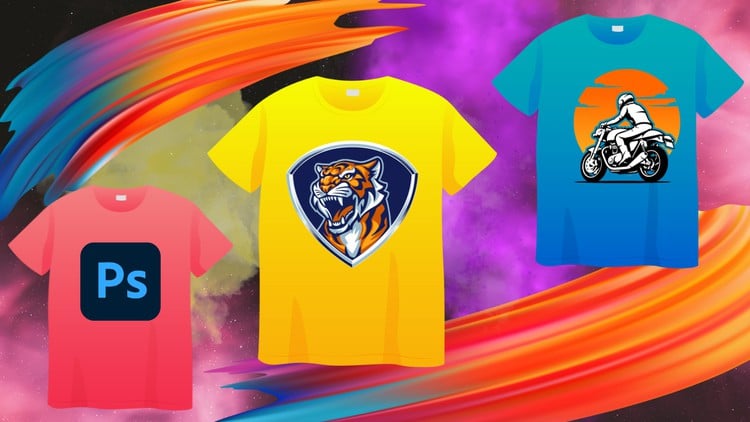
Photoshop for T-Shirt Design: A Beginner-Friendly Guide to Creating Stunning Designs
⏱️ Length: 4.7 total hours
⭐ 3.94/5 rating
👥 24,440 students
🔄 November 2023 update
Add-On Information:
Note➛ Make sure your 𝐔𝐝𝐞𝐦𝐲 cart has only this course you're going to enroll it now, Remove all other courses from the 𝐔𝐝𝐞𝐦𝐲 cart before Enrolling!
- Course Overview
- This comprehensive yet concise online course is an ideal entry point for individuals eager to dive into T-shirt design using Adobe Photoshop. Tailored for absolute beginners, it demystifies transforming abstract ideas into stunning, print-ready graphics for apparel. Spanning a focused 4.7 total hours, the curriculum is structured for rapid yet thorough understanding of core concepts and practical applications. You’ll navigate a project-based learning journey, creating designs from scratch and optimizing them for various printing methods, perfect for aspiring entrepreneurs, hobbyists, or anyone looking to add a powerful creative skill. Updated in November 2023, it reflects current industry practices and design trends, ensuring highly relevant and actionable insights.
- Requirements / Prerequisites
- Basic Computer Proficiency: A fundamental understanding of operating a personal computer (Windows or macOS), including file management, navigating software interfaces, and using a mouse or trackpad.
- Access to Adobe Photoshop: Learners will need an installed and active version of Adobe Photoshop CC (Creative Cloud) on their computer. A relatively recent version is recommended for compatibility with course demonstrations and features.
- A Keen Interest in Design: No prior graphic design experience or artistic drawing skills are necessary, but a genuine enthusiasm for visual creation and an eagerness to learn new digital tools will greatly enhance the learning experience.
- Willingness to Experiment: The course encourages hands-on practice and playful exploration within Photoshop, fostering a creative mindset that is crucial for developing a unique design voice.
- Stable Internet Connection: Required for accessing course materials, watching video lessons, and potentially downloading resources or software updates.
- Skills Covered / Tools Used
- Navigating the Photoshop Interface with Confidence: Gain mastery over essential panels, workspaces, and shortcuts, custom-tailoring your environment for efficient T-shirt design workflow.
- Strategic Use of Layers and Groups: Develop proficiency in organizing complex design elements, ensuring non-destructive editing, easy modifications, and professional-grade file management.
- Precision Selection and Masking Techniques: Learn advanced methods for isolating intricate parts of images or graphics, utilizing tools like the Pen Tool and various masking techniques to achieve clean, crisp cutouts.
- Impactful Typography for Apparel: Discover how to select, customize, and manipulate fonts to create compelling text-based designs, understanding the nuances of legibility, hierarchy, and aesthetic appeal on fabric.
- Creative Color Palette Development: Acquire the ability to choose and apply color schemes that evoke desired emotions, align with brand identities, and ensure optimal visual impact when printed.
- Generating Custom Brushes and Patterns: Learn to create unique brush presets and seamless patterns within Photoshop, empowering you to add distinctive textures, decorative elements, and original graphic styles to your T-shirt designs.
- Producing Digital Mock-ups and Previews: Master the art of placing your finished designs onto realistic T-shirt mock-up templates for visualization, professional presentation, and making informed adjustments before actual production.
- Preparing Files for Diverse Printing Methods: Understand the critical technical specifications for various T-shirt printing techniques, including screen printing, direct-to-garment (DTG), and vinyl heat transfer, ensuring your designs are correctly sized, colored, and formatted.
- Leveraging Smart Objects for Scalability: Implement Smart Objects to maintain the resolution independence of your graphics, allowing for effortless resizing and transformations without any loss of quality, vital for designs intended for multiple product applications.
- Effective Application of Blending Modes and Layer Styles: Explore how different blending modes and layer styles can be creatively used to achieve dramatic visual effects, subtle enhancements, or integrate elements seamlessly into your T-shirt artwork.
- Benefits / Outcomes
- Rapid Skill Acquisition: You will quickly develop a robust set of Photoshop skills specifically tailored for T-shirt design, enabling you to move from conceptualization to print-ready files with confidence and efficiency.
- Empowerment for Creative Expression: Gain the technical know-how to bring your unique artistic visions to life on apparel, fostering a powerful outlet for personal creativity or brand storytelling.
- Foundation for Entrepreneurship: Acquire the practical knowledge needed to start designing and potentially selling your own custom T-shirts, opening doors to income generation or a new side hustle.
- Professional Portfolio Building: By completing the course projects, you will amass a collection of high-quality T-shirt designs, forming the beginnings of a professional portfolio to showcase your capabilities to clients or employers.
- Informed Design Decisions: Develop a critical eye for what makes a T-shirt design successful, understanding the interplay of aesthetics, market appeal, and technical print requirements to create designs that truly stand out.
- Cost-Effective Design Solution: Learn to create compelling designs independently, potentially saving significant costs associated with hiring professional graphic designers for your apparel needs.
- PROS
- Beginner-Friendly Approach: Expertly crafted to guide absolute novices through complex software, making T-shirt design accessible to everyone regardless of prior experience.
- Highly Practical and Project-Oriented: Focuses on hands-on application, ensuring learners build tangible skills by creating real-world T-shirt designs throughout the course.
- Up-to-Date Content: Recently updated in November 2023, guaranteeing relevance with current Photoshop features and industry best practices.
- Strong Community Validation: Backed by a high rating and over 24,000 students, indicating proven effectiveness and widespread satisfaction among learners.
- Efficient Learning Curve: Delivers comprehensive knowledge in a concise 4.7 hours, optimizing learning without overwhelming the student.
- Immediate Applicability: Skills learned can be directly applied to personal projects, starting a business, or enhancing an existing brand’s merchandise.
- CONS
- Continued Practice Required: While comprehensive for beginners, achieving advanced mastery and a truly unique design style will necessitate consistent practice and independent exploration beyond the course content.
Learning Tracks: English,Design,Graphic Design & Illustration
Found It Free? Share It Fast!