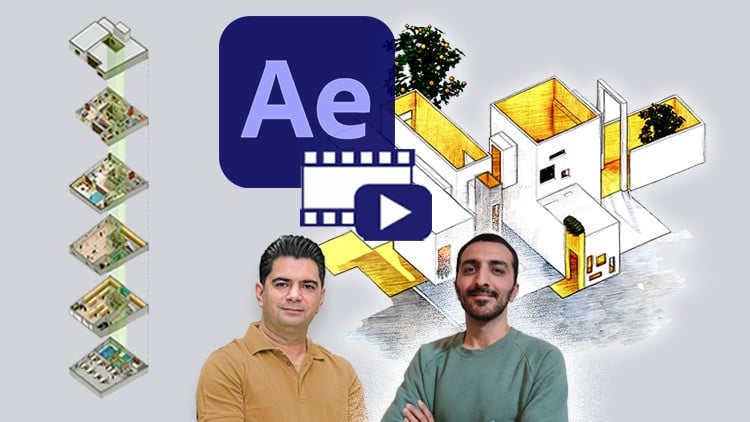
Animated Architectural Visualization + Make a Frame Story for Design Process + Motion Graphics & Concept Animations
⏱️ Length: 1.9 total hours
⭐ 4.91/5 rating
👥 2,097 students
🔄 November 2025 update
Add-On Information:
Note➛ Make sure your 𝐔𝐝𝐞𝐦𝐲 cart has only this course you're going to enroll it now, Remove all other courses from the 𝐔𝐝𝐞𝐦𝐲 cart before Enrolling!
Course Overview: Motion Diagrams for Architects – Adobe After Effects
- Dive into transforming static architectural concepts into captivating, animated narratives that truly resonate with an audience.
- Explore the art of cinematic storytelling for design, moving beyond traditional renders to present dynamic spatial experiences.
- Master the creation of compelling “motion diagrams” that bring spatial sequencing, design evolution, and functional flows to vivid life.
- Uncover how to weave an engaging “frame story” around your architectural process, enhancing conceptual clarity and emotional connection.
- Elevate your design presentations with professional-grade motion graphics, making complex architectural ideas instantly digestible and deeply engaging.
- Learn to articulate intricate design intent through movement, showcasing functionality, structural logic, and user experience with unprecedented clarity.
- This course empowers architects to visualize the *experience* of space, anticipating how occupants will interact with and navigate built environments, not just their static form.
- Leverage Adobe After Effects as your creative canvas to imbue architectural visualizations with dynamic energy, impact, and a unique professional polish.
- Discover techniques for visualizing transient phenomena within designs, such as sunlight paths, pedestrian movement, or material reactions over time.
Requirements / Prerequisites
- Fundamental understanding of architectural design principles: Familiarity with blueprints, sections, plans, design methodologies, and the architectural project lifecycle is beneficial.
- Access to Adobe After Effects: A licensed copy of Adobe After Effects Creative Cloud (CC 2023 or newer is recommended, aligning with the November 2025 update).
- Basic computer proficiency: Comfort navigating software interfaces, managing files, and performing fundamental computer operations.
- No prior After Effects experience required: The course is specifically designed to guide beginners through the software’s relevant functionalities for architectural visualization.
- Willingness to explore creative visualization: An open mind to innovative methods of presenting architectural ideas dynamically and a desire to push traditional boundaries.
- A personal computer capable of running After Effects: Sufficient RAM (16GB+ recommended) and processor power (multi-core CPU) for animation and rendering tasks will ensure a smooth learning experience.
Skills Covered / Tools Used
- Kinetic illustration techniques: Bringing static design elements, such as lines, shapes, icons, and text, to life through controlled, purposeful motion within a 2D or 2.5D space.
- Sequential narrative animation: Developing a clear, chronological storyline for your architectural presentations, guiding viewers through design phases, spatial relationships, or proposed user journeys.
- Dynamic infographic creation: Crafting animated data visualizations directly from architectural metrics, site analyses, project timelines, or sustainability performance.
- Procedural animation for architectural elements: Exploring methods to simulate the construction process, the assembly of modular components, or the conceptual evolution of a design over time.
- Subtle visual effects integration: Incorporating atmospheric effects (e.g., fog, light rays), material simulations, or environmental changes (e.g., changing seasons, time of day) within your animated scenes.
- Advanced layer management and hierarchy: Strategically organizing complex After Effects projects for optimal workflow, easy updates, and scalability across different architectural presentations.
- Precision keyframe animation mastery: Gaining granular control over object movement, scaling, rotation, opacity, and other properties to convey specific design nuances and intentions.
- Text animation for contextual overlays: Applying dynamic typography to annotate diagrams, highlight specific design features, or provide critical project information in an engaging manner.
- Introduction to expression-driven animation: Utilizing simple After Effects expressions to automate repetitive animation tasks and create complex, responsive behaviors with minimal manual keyframing.
- Render pipeline optimization for architectural projects: Learning efficient methods for exporting high-quality animations in various formats suitable for web, presentations, or client deliverables.
- Adobe After Effects: The primary software tool explored in depth for all animation, compositing, and visual storytelling tasks for architects.
- Principles of cinematic composition: Applying fundamental film-making techniques such as framing, camera movement, and pacing to effectively present architectural visualizations and enhance their impact.
Benefits / Outcomes
- Elevated design communication: Articulate complex architectural ideas with unprecedented clarity, engagement, and emotional impact, moving far beyond traditional static imagery.
- Distinguished professional portfolio: Showcase your projects with dynamic, captivating content that captures immediate attention and demonstrates cutting-edge visualization capabilities.
- Enhanced client and stakeholder engagement: Present designs in a way that truly immerses viewers, helping them intuitively understand spatial relationships, proposed experiences, and functional flows.
- Competitive advantage in the industry: Differentiate yourself by mastering advanced visualization techniques that set your architectural presentations apart from the competition.
- Streamlined ideation and design exploration: Utilize motion diagrams as a powerful tool to visualize design alternatives, test spatial concepts, and iterate more effectively during the design process.
- Ability to narrate the “why” behind design: Effectively explain the functional sequences, environmental responses, structural logic, or user interaction principles of a building through animated narratives.
- Time-efficient workflow integration: Learn practical methods to quickly transform existing static architectural assets (CAD drawings, renders, sketches) into compelling animated visuals without starting from scratch.
- Confidence in advanced digital tools: Gain transferable proficiency in Adobe After Effects, a versatile industry-standard software applicable across various creative and visualization disciplines.
- Increased persuasive power: Effectively convey the value proposition and visionary aspects of your architectural proposals to secure project approvals, win bids, and gain client trust.
- Development of a unique architectural storytelling voice: Cultivate a distinct and memorable style in presenting your designs through dynamic, visually rich narratives that leave a lasting impression.
PROS
- Highly specialized and relevant content: Directly addresses a growing and critical need for dynamic visualization and storytelling within contemporary architectural practice.
- Practical, hands-on skills development: Focuses on immediate, actionable application of techniques to real-world architectural presentation and communication challenges.
- Leverages industry-standard software: Proficiency in Adobe After Effects is a highly valuable, transferable asset across the creative and design industries.
- Excellent student satisfaction: A high rating (4.91/5) from a significant number of students (2,097) strongly indicates quality instruction and effective learning outcomes.
- Up-to-date curriculum: The “November 2025 update” ensures that the course content remains relevant with the latest software versions and industry best practices.
- Transforms communication: Equips architects with a powerful new medium to articulate complex design intent and project vision more effectively and engagingly than ever before.
- Concise learning duration: At 1.9 total hours, it’s an accessible and efficient introduction for busy architectural professionals looking to quickly acquire new, impactful skills.
CONS
- Introductory nature: As a 1.9-hour course, it serves as an excellent foundational primer but may require additional self-practice, supplementary learning, or advanced courses to achieve complete mastery and explore highly complex architectural animation scenarios.
Learning Tracks: English,Design,Architectural Design
Found It Free? Share It Fast!