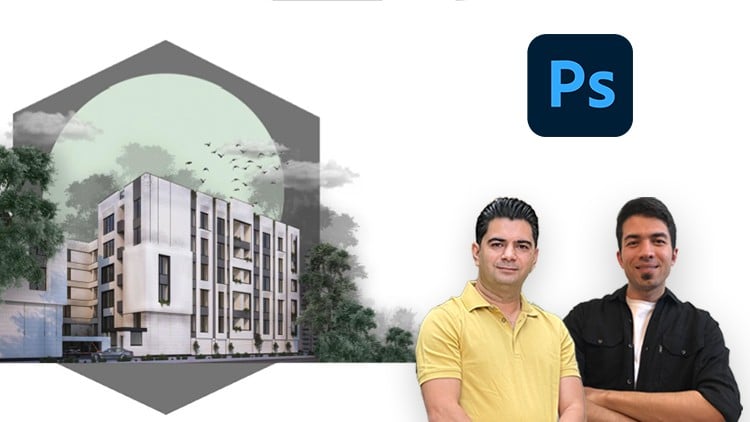
Enhance your architectural renders with Photoshop – fast post-production skills for stunning visualizations
⏱️ Length: 2.8 total hours
⭐ 4.86/5 rating
👥 3,058 students
🔄 September 2025 update
Add-On Information:
Note➛ Make sure your 𝐔𝐝𝐞𝐦𝐲 cart has only this course you're going to enroll it now, Remove all other courses from the 𝐔𝐝𝐞𝐦𝐲 cart before Enrolling!
- Course Overview
- Unlock the power of Adobe Photoshop to rapidly transform raw architectural renders into captivating, photorealistic visualizations, moving beyond basic output.
- Embark on a streamlined journey designed for immediate application, where professional post-production techniques are demystified for architectural contexts.
- Discover efficient workflows that significantly reduce the time spent in rendering engines, shifting focus to impactful and artistic post-processing.
- Learn to imbue your architectural projects with mood, atmosphere, and a compelling narrative, making your designs truly stand out in client presentations.
- Grasp the critical role of post-production in achieving a polished, competitive edge in the architectural and design industry.
- Leverage the course’s “Quickstart in 1 hour” philosophy to gain foundational yet powerful skills that yield instant, noticeable improvements in your renders.
- Understand the sequential steps involved in enhancing visual appeal, from initial render cleanup to final stylistic adjustments.
- Join a thriving community of over 3,000 students and benefit from a highly-rated curriculum, continually updated for the latest industry practices.
- Requirements / Prerequisites
- Access to a working installation of Adobe Photoshop (CC recommended), as the course will demonstrate features within this environment.
- A fundamental understanding of architectural design concepts or the basics of 3D modeling/rendering software is beneficial but not strictly mandatory.
- Basic computer literacy, including file management and navigation within a graphical user interface.
- No prior advanced Photoshop expertise is required; the course is structured to guide learners from a foundational level.
- A willingness to experiment, practice, and apply the learned techniques to your own architectural projects.
- Skills Covered / Tools Used
- Mastering non-destructive editing principles through smart objects, adjustment layers, and layer masks to preserve original render data.
- Proficiently utilizing selection tools (e.g., Quick Selection, Magic Wand, Pen Tool) for precise isolation of elements like skies, buildings, or specific materials.
- Implementing blending modes and layer styles to seamlessly integrate entourage, textures, and atmospheric effects into your scenes.
- Applying advanced color correction and grading techniques using tools like Curves, Levels, Hue/Saturation, and Selective Color to achieve desired moods.
- Integrating photorealistic entourage (people, vehicles, furniture) and vegetation assets, ensuring correct scale, perspective, and lighting consistency.
- Creating dynamic sky replacements and enhancements, including cloud manipulation and realistic sky reflections on architectural surfaces.
- Simulating realistic lighting effects such as sun rays, volumetric light, glare, and lens flares to add depth and drama.
- Developing proficiency in adding various atmospheric elements like fog, haze, rain, or snow to enhance environmental context.
- Utilizing content-aware functionalities for efficient background extensions, object removal, or minor render imperfections cleanup.
- Employing Camera Raw Filter for global and localized adjustments, mimicking photographic post-processing for architectural images.
- Crafting compelling compositional improvements through cropping, straightening, and applying the rule of thirds or golden ratio principles.
- Enhancing material fidelity and texture definition, bringing surfaces to life with subtle adjustments to reflectivity, bump, and specularity.
- Designing professional-grade architectural presentation boards and layouts, combining renders, diagrams, and text effectively.
- Streamlining repetitive tasks through the creation and application of Photoshop Actions for increased workflow efficiency.
- Employing advanced masking techniques for complex selections and refined integration, ensuring smooth transitions between elements.
- Utilizing various brush tools for localized painting, adding details, or creating custom effects like dust, dirt, or subtle imperfections.
- Understanding the optimal export settings and file formats for different presentation needs, from web to high-resolution print.
- Techniques for simulating realistic depth of field and motion blur to guide the viewer’s eye and add dynamic quality.
- Incorporating post-process “noise” or “film grain” strategically to achieve a more photographic and less sterile render aesthetic.
- Benefits / Outcomes
- Produce highly impactful and visually stunning architectural visualizations that effectively communicate your design intent.
- Significantly accelerate your project turnaround times by minimizing reliance on lengthy rendering processes for final image polish.
- Elevate your professional portfolio with high-quality, refined imagery that impresses clients and potential employers.
- Gain the confidence to tackle complex post-production challenges, transforming ordinary renders into extraordinary presentations.
- Develop a unique visual style for your architectural imagery, setting your work apart in a competitive market.
- Reduce the need for multiple render iterations by rectifying minor errors or making stylistic changes efficiently in post-production.
- Enhance your problem-solving skills in image manipulation, applying creative solutions to visualization obstacles.
- Be proficient in generating compelling visuals for proposals, competitions, and marketing materials with speed and precision.
- PROS
- Rapid Skill Acquisition: The “Quickstart in 1 hour” module provides immediate, actionable techniques for quick visual improvements.
- High Student Satisfaction: A 4.86/5 rating from over 3,000 students attests to the course’s effectiveness and quality.
- Industry-Relevant Techniques: Focuses on practical, real-world post-production methods used by architectural visualization professionals.
- Non-Destructive Workflow Emphasis: Teaches best practices that allow for flexibility and easy modifications without damaging original work.
- Updated Content: Regular updates ensure the curriculum remains current with the latest Photoshop features and industry trends.
- Comprehensive Practice: Includes practical exercises and downloadable files for hands-on learning and skill reinforcement.
- CONS
- While comprehensive for quick architectural post-production, it may not delve into highly advanced compositing involving complex 3D renders or very niche Photoshop features specific to other design disciplines.
Learning Tracks: English,Design,Graphic Design & Illustration
Found It Free? Share It Fast!