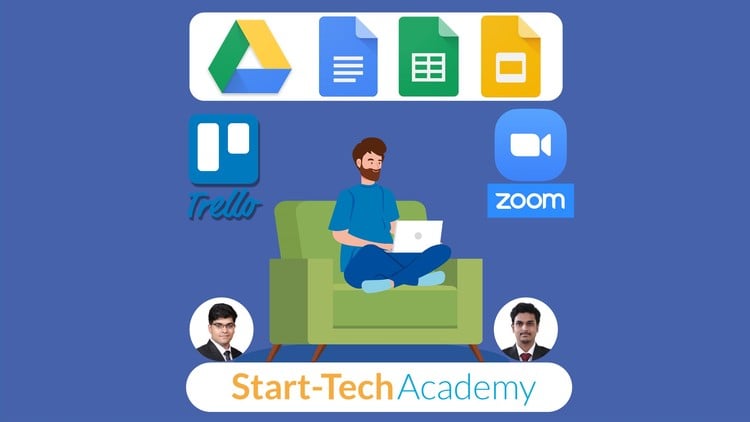
Free tools – Google Docs, Sheets, Slides, Trello & Zoom to maximize productivity while working remotely #WorkFromHome
⏱️ Length: 1.9 total hours
⭐ 4.53/5 rating
👥 66,783 students
🔄 September 2025 update
Add-On Information:
Note➛ Make sure your 𝐔𝐝𝐞𝐦𝐲 cart has only this course you're going to enroll it now, Remove all other courses from the 𝐔𝐝𝐞𝐦𝐲 cart before Enrolling!
- Course Overview
- Master essential remote work skills with “Tools for Working From Home – Google Apps, Trello & Zoom.” This course focuses on free, industry-standard tools—Google Docs, Sheets, Slides, Trello, and Zoom—to maximize productivity, foster collaboration, and ensure clear communication in any remote setting.
- Highly acclaimed, this program holds a 4.53/5 student rating from over 66,783 learners, attesting to its practical value and effectiveness. Updated in September 2025, the curriculum provides the latest best practices for today’s dynamic work environment.
- Completed in just 1.9 total hours, this fast-track course equips you to become a proficient and confident remote professional. It transforms common remote work challenges into opportunities for enhanced efficiency and seamless team synergy.
- Discover how to build a robust virtual workspace. From organizing projects with visual boards to crafting compelling presentations and leading engaging online meetings, gain foundational knowledge for excelling in the modern remote work paradigm.
- Requirements / Prerequisites
- Basic computer and internet literacy; no prior tool-specific expertise needed.
- Access to a stable internet connection and a reliable computer for practical exercises.
- A willingness to adopt modern digital workflows and engage with new platforms.
- A free Google account (e.g., Gmail) is beneficial for immediate practice with Google Workspace applications.
- Skills Covered / Tools Used
- Strategic Google Drive Management: Optimize cloud storage for secure file organization, advanced sharing, and robust version control, centralizing critical documents for effortless team access.
- Real-time Document Collaboration (Google Docs): Achieve proficiency in co-authoring, utilizing suggested edits, comments, and revision history to streamline content creation and feedback across distributed teams.
- Dynamic Data Management (Google Sheets): Gain expertise in collaborative data entry, analysis, and visualization. Track project progress, manage budgets, and generate real-time reports shareable by multiple stakeholders.
- Engaging Presentation Design (Google Slides): Craft impactful, visually appealing presentations optimized for virtual delivery. Learn multimedia integration and collaborative slide deck creation for captivating remote audiences.
- Agile Project & Task Visualization (Trello): Set up customized Trello boards to visualize project workflows, assign tasks, track deadlines, and monitor team progress using intuitive card-based systems for efficient remote management.
- Synchronous Communication & Conferencing (Zoom): Master hosting and participating in professional virtual meetings, including screen sharing, instant chat, audio/video management, and effective virtual meeting etiquette.
- Integrated Digital Workflow Creation: Learn to seamlessly connect these tools, minimizing context switching and maximizing overall efficiency for a smooth remote work experience.
- Benefits / Outcomes
- Become a Highly Efficient Remote Professional: Manage tasks, time, and team interactions with unparalleled efficiency, transforming your remote workspace into a hub of productivity.
- Master Seamless Digital Collaboration: Confidently initiate and participate in collaborative efforts across Google Workspace, Trello, and Zoom, ensuring project continuity regardless of physical distance.
- Elevate Your Career Prospects: Acquire in-demand digital literacy skills essential for success in today’s remote-first job market, making you a more valuable and adaptable asset.
- Streamline Project Management: Implement robust systems for tracking milestones, delegating responsibilities, and monitoring progress, leading to improved project outcomes and fewer missed deadlines.
- Enhance Virtual Communication: Develop the ability to articulate ideas clearly and professionally in virtual settings, leading more effective meetings and presenting with greater impact to remote audiences.
- Cultivate an Organized & Secure Digital Workspace: Learn best practices for file management and data security within cloud platforms, ensuring your work is always accessible, organized, and protected.
- Reduce Remote Work Stress: Master intuitive tools and efficient workflows to minimize technological hurdles, allowing greater focus on core responsibilities and a more enjoyable work-from-home experience.
- PROS
- Immediate Practical Application: Skills are directly applicable to daily remote work, offering tangible workflow improvements from day one.
- Cost-Effective Skill Development: Focuses exclusively on powerful, free-to-use tools, making advanced productivity and collaboration accessible without extra software investment.
- Highly Rated & Student Approved: An outstanding 4.53/5 rating from tens of thousands of students confirms the quality and effectiveness of the learning experience.
- Up-to-Date Content: The September 2025 update ensures you learn the most current features and best practices for each tool, maintaining relevance.
- Concise & Time-Efficient: At just 1.9 hours, this course offers a high-impact learning experience that respects your busy schedule.
- Broad Applicability: Skills benefit freelancers, remote employees, team managers, and anyone enhancing their digital dexterity in a WFH setting.
- CONS
- This course primarily covers foundational to intermediate usage of free tools and may not delve into highly advanced, niche, or enterprise-specific functionalities, requiring further exploration for specialized use cases.
Learning Tracks: English,Office Productivity,Other Office Productivity
Found It Free? Share It Fast!